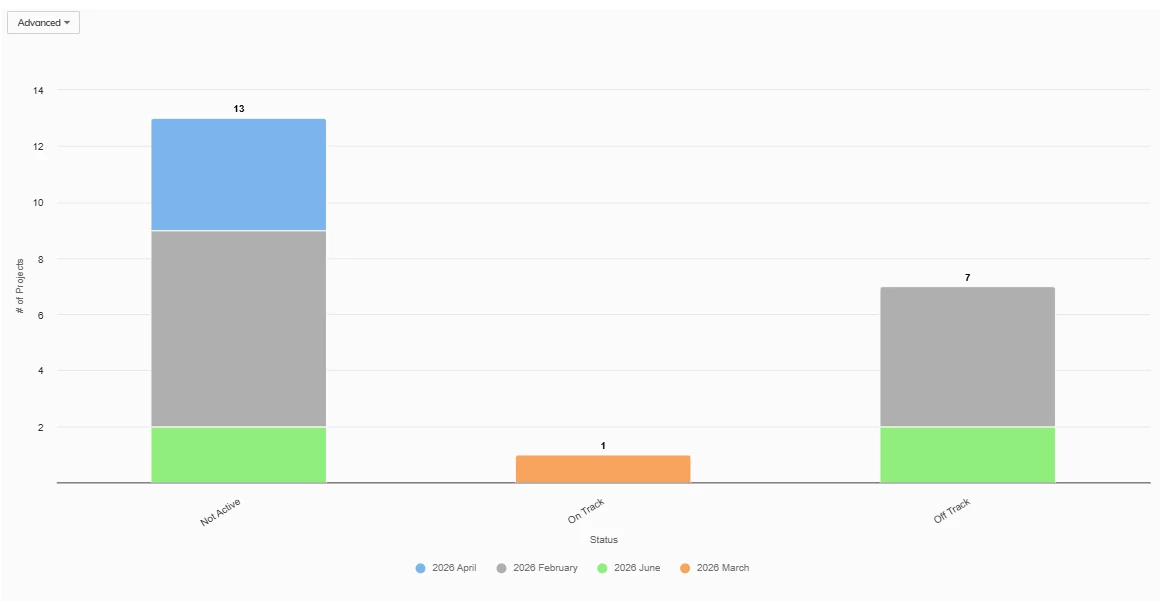
I create a stacked chart in a report using the Created on Data field. It shows as 2026-05, but I want it to say May in the chart. I don’t see an option to change the format of this field.



Planview Customer Community
Already have an account? Login
Planview Customer Community
No account yet? Create an account
Login with SSO
Login with Planview Adminor
Enter your E-mail address. We'll send you an e-mail with instructions to reset your password.
All Data Subject Access Requests (DSARs), and requests of “Do Not Sell My Personal Information” according to the CCPA, must be submitted through the Planview DSAR portal located here
Planview has appointed a Data Privacy Officer (DPO) to be responsible for overseeing our Privacy Management Program and related privacy compliance measures. DPO can be contacted at privacy@planview.com
Planview has appointed a Data Privacy Officer (DPO) to be responsible for overseeing our Privacy Management Program and related privacy compliance measures. DPO can be contacted at privacy@planview.com