
Question

Custom Field to calculate what % of Financials Fields or currency field

  • June 3, 2025
  • 4 replies
  • 55 views

Forum|alt.badge.img+1

Custom Field to calculate what % of Financials Fields 


I have a custom field that captures the Total Authorised committed (Sum of Actuals YTD + ERP Commitments) currency field and Low Estimated Budget (sum of 2025 & 2026 budget & 2027 budget) currency field.

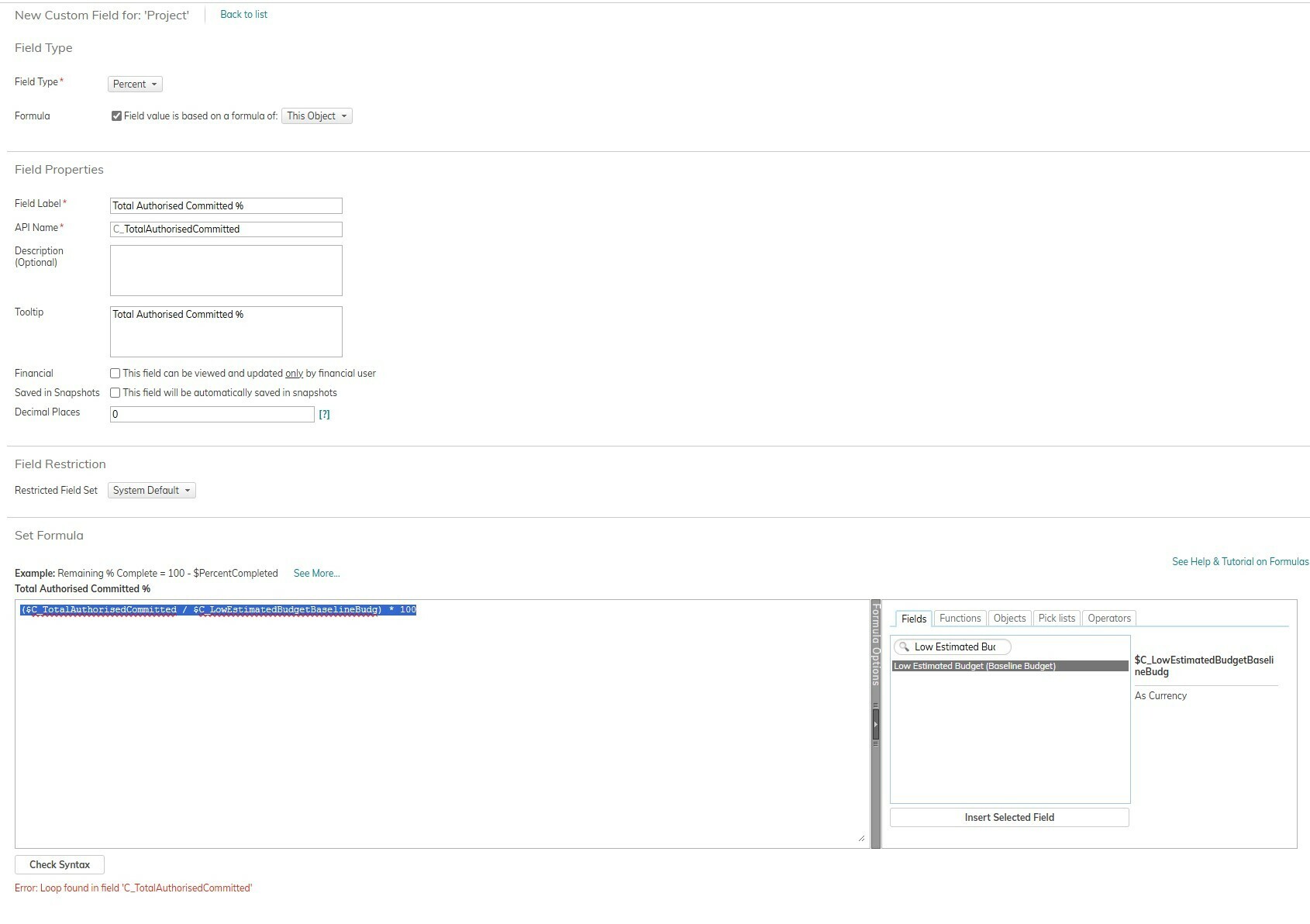
I want to calculate the % of (Total Authorised committed $ / Low Estimated Budget) *100


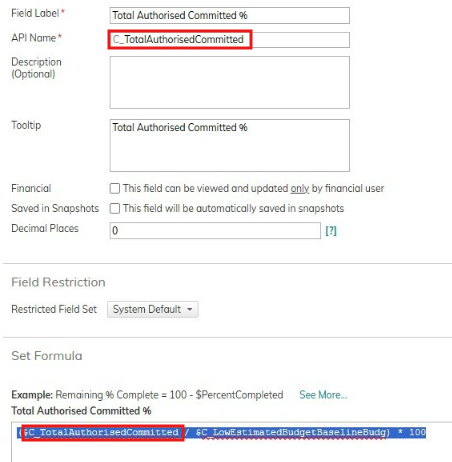
Error: Loop found in field 'C_TotalAuthorisedCommitted'
 

This topic has been closed for replies.

4 replies

Forum|alt.badge.img
  • Planview Falcons
  • June 4, 2025

Hi ​@tumisomahlake 


You are referencing the field itself in the formula, which is why you are seeing the loop error:


The API name for a field must be unique on the object - does your original “Total Authorised Committed” field have the same API name perhaps? Update the API name on the % field, and then it should work.


Forum|alt.badge.img+1
  • Author
  • Bronze Active Participant
  • June 5, 2025

Thank you. The formula is working.


Forum|alt.badge.img+1
  • Author
  • Bronze Active Participant
  • June 5, 2025

Good day ​@petegush 


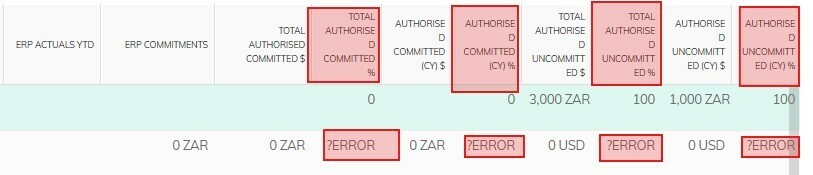
How do I change the Percentage? Error to 0 when there  are no values entered.


Forum|alt.badge.img
  • Planview Falcons
  • June 5, 2025

Hi ​@tumisomahlake

You can wrap the formula in the CATCH function, which will return a default value if the formula results in an error.

For eg, to return a blank value instead of an error when dividing by zero try

Catch($FieldA/$FieldB, NULL)

where $FieldA/$FieldB is your formula.