Question

Why is there no demand in the Capacity Planning Module?

  • May 26, 2026
  • 6 replies
  • 88 views

Forum|alt.badge.img

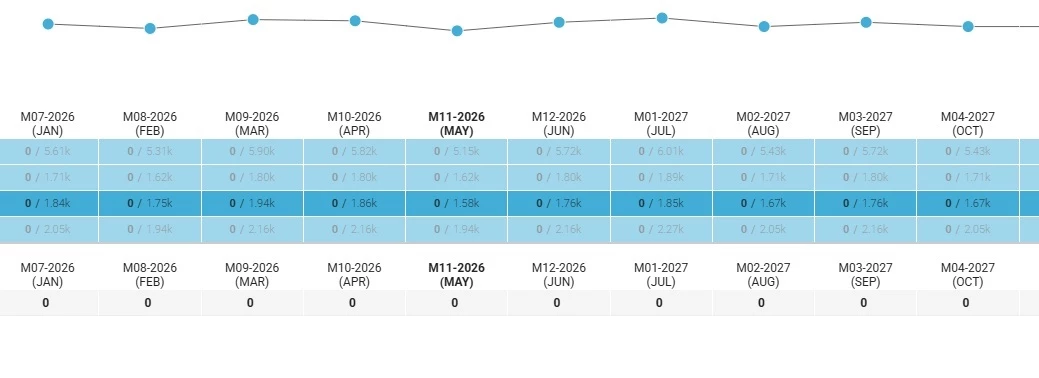
I’m exploring the Capacity Planning Module and when I look at it the “demand” is zero across the board for everyone. Clearly, this is not correct. I’ve read through everything I could find, but I cannot find an answer. I have resources assigned to groups as primary. Resources have been assigned to tasks. The tasks have work assigned to them. Yet, demand is zero! 

Any help would be greatly appreciated! 

Thank you!
 

6 replies

Forum|alt.badge.img+1
  • Planview Falcons
  • June 9, 2026

Hi ​@Jim Scheel 

Demand in Capacity Planner is determined by Project Assignment only, and not task assignment. If you are only working with task assignment you can roill this up to Project Assignment using the action “Apply Task Assignment”. Once the task assignment has been applied at the project assignment level then you will see the demand reflected in capacity planner.

Thanks

Pete


Forum|alt.badge.img
  • Author
  • Bronze Active Participant
  • June 9, 2026

Hi Pete,

Thank you for the response! 

I wish their documentation was clearer! I was able to get demand to show up in the Capacity Planning module!

Thank you!

Jim


Forum|alt.badge.img
  • Author
  • Bronze Active Participant
  • June 9, 2026

I may have spoken too soon. I tried it and it wasn’t working. Don’t know if there is a lag in updating the information in Clarizen or not. Need to test further.


Forum|alt.badge.img+1
  • Planview Falcons
  • June 10, 2026

Hi ​@Jim Scheel 

Check the view you are using in the Capacity Planning as well.

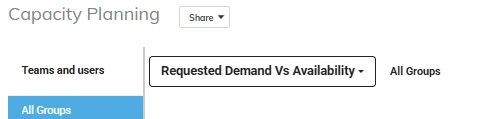
If Requested Demand Vs Availability is selected you will see any pending staffing requests (Requested Demand) versus the availability of resources. If you are not using staffing requests then you won’t see any Requested Demand.


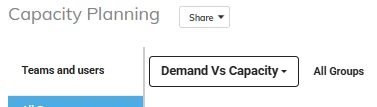
If Demand Vs Capacity is selected you will see the approved project assignment vs the total capacity of resource.

Let me know if that helps!

Pete


Forum|alt.badge.img
  • Author
  • Bronze Active Participant
  • June 10, 2026

Hi Pete,

It seems to be working this morning. I tested it and it worked! I know that yesterday, Clarizen was acting oddly. It was lagging a lot and that might have been the issue.

Thank you for your responses and your support!


Jim


Forum|alt.badge.img+1
  • Platinum Innovator
  • August 20, 2026

It’s worth creating a workflow rule to automate running the apply task assignments. What we did was create a custom field to toggle whether or not to auto synchronize project assignments from the task assignments… and if enabled we have a nightly scheduled workflow rule that does this.  We turn it off when doing any top-down planning for a project -- but while a project is being planned we load from a template… refine the plan and schedule… and let that proposed plan/schedule and task assignments drive the project assignment / capacity planner view.  And once a project is scheduled/active, we shift to a more top-down allocation approach where leadership aligns with who is allocated at what %.  The PMs then manage as usual but keep an eye on the task schedule and assignments vs. the project assignment allocation and flag if adjustments are needed or risks/issues etc., with leadership.  Hope this helps.