
Solved

Logbook PowerBI Issues

  • April 21, 2026
  • 2 replies
  • 47 views

Forum|alt.badge.img+3

I’ve had a PowerBI report running in our sandbox, pulling our Logbook data.  It works, and then it doesn’t work.  We are implementing Logbook in production this week, so I have pulled up our report that is pointing to our sandbox, made a copy, and am trying to point the copy to production.  After numerous attempts at trying to make that work, I realized the sandbox connection isn’t working any longer. 

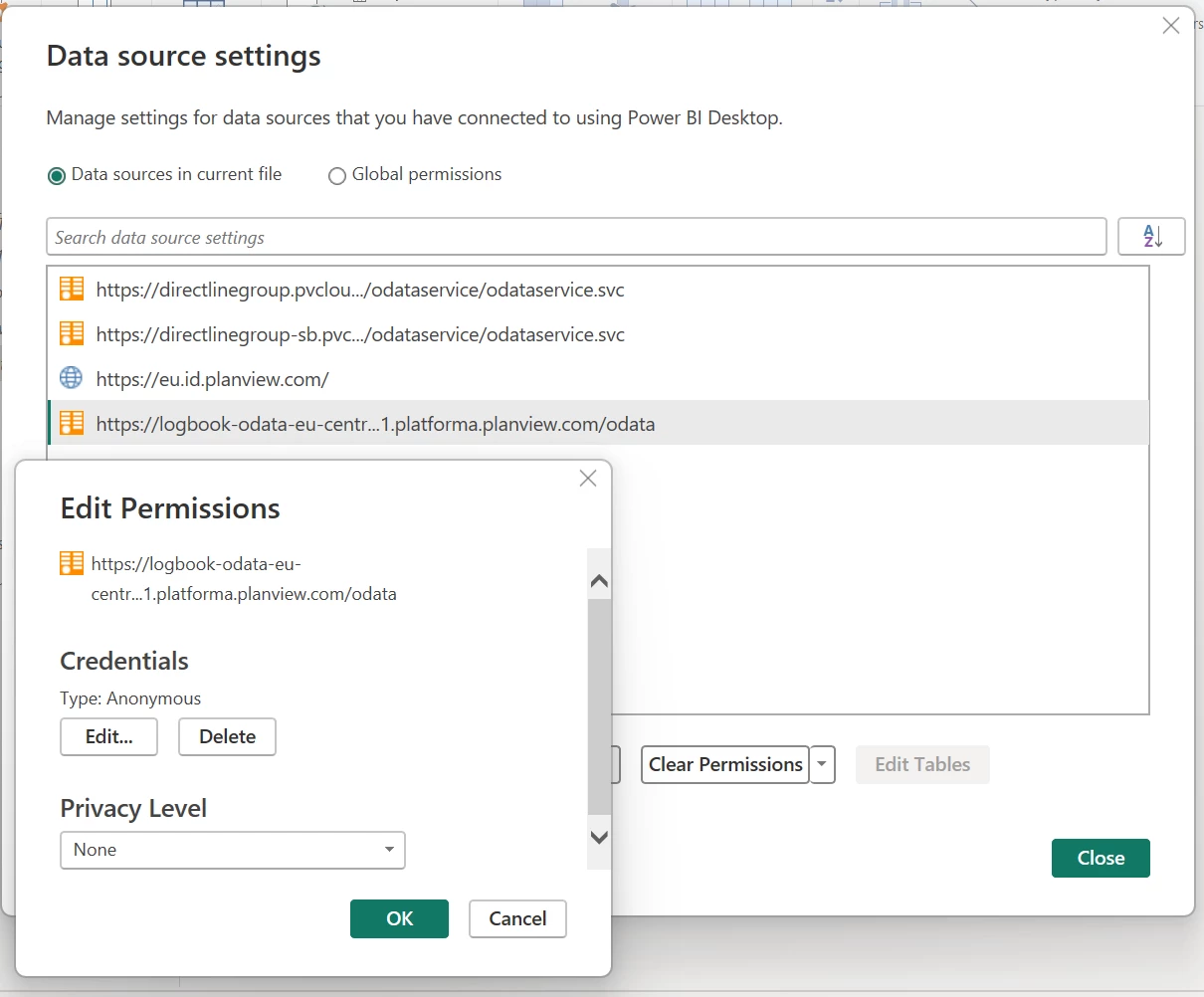
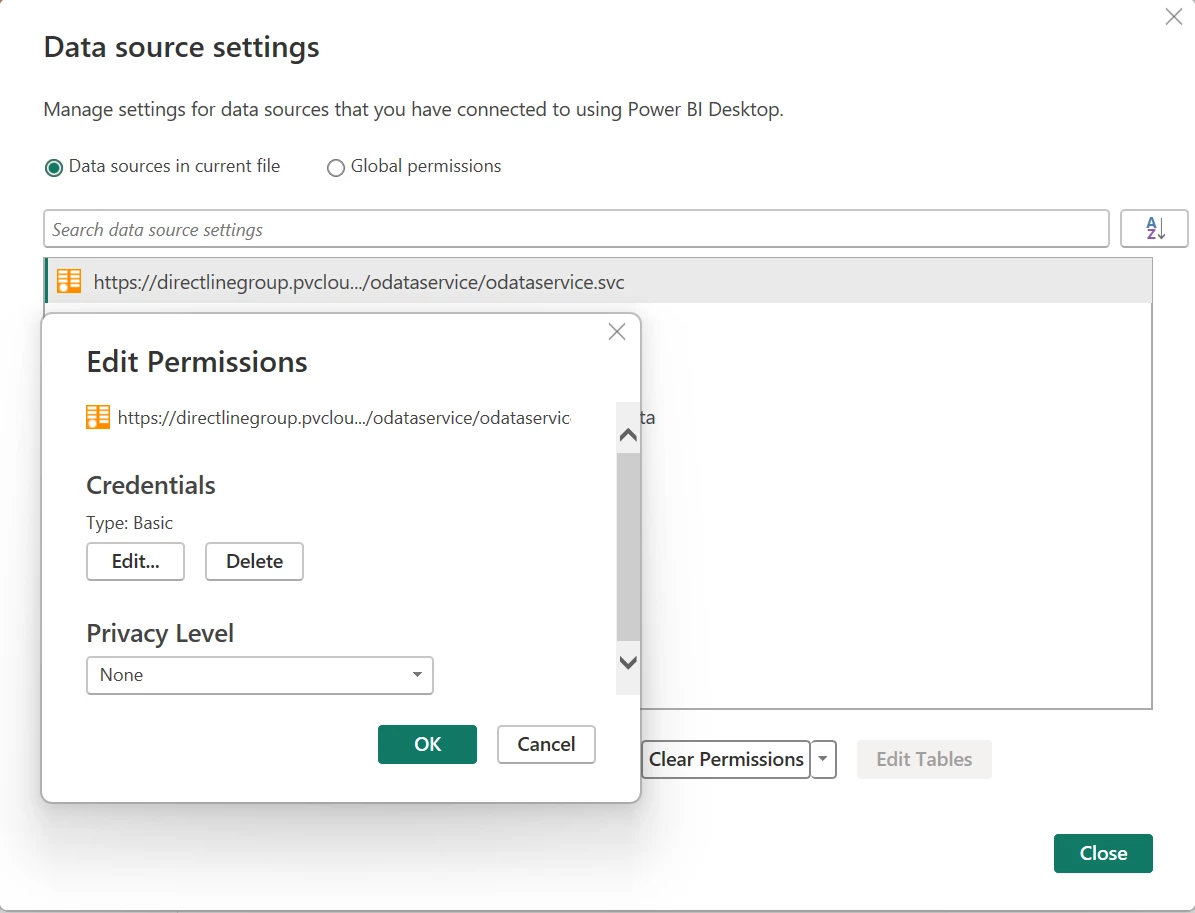
  • If I use “Basic” credentials, I can get the Portfolios OData data, but the logbook data throws this error: “Expression.Error: The 'Authorization' header is only supported when connecting anonymously. These headers can be used with all authentication types: Accept, Accept-Charset, Accept-Encoding, Accept-Language, Cache-Control, Content-Type, If-Modified-Since, Prefer, Range, Referer
  • If I change the Data Source Settings to use anonymous, and then refresh, I still get the Authorization error, plus I have the error on the Portfolios data “We couldn’t authenticate with the credentials provided. Please try again.”    

I feel like it’s an endless loop!  

Anyone have any tips?  
Best answer by mserafinowski

HI ​@SVarney  as you’re pulling data from two different data sources (Portfolios and Logbook) you’ll need to authenticate twice:

  1. Basic (using the token from Portfolios) for the Portfolios OData
  2. anonymous for Logbook

Are you seeing this error in PowerBI Desktop or in the PowerBI Service? Also, could you double check that you’re using the correct data sources? You mentioned this report was copied from the sandbox, so it’s worth making sure all endpoints have been updated correctly. Have you also tried generating a new client ID and client secret?

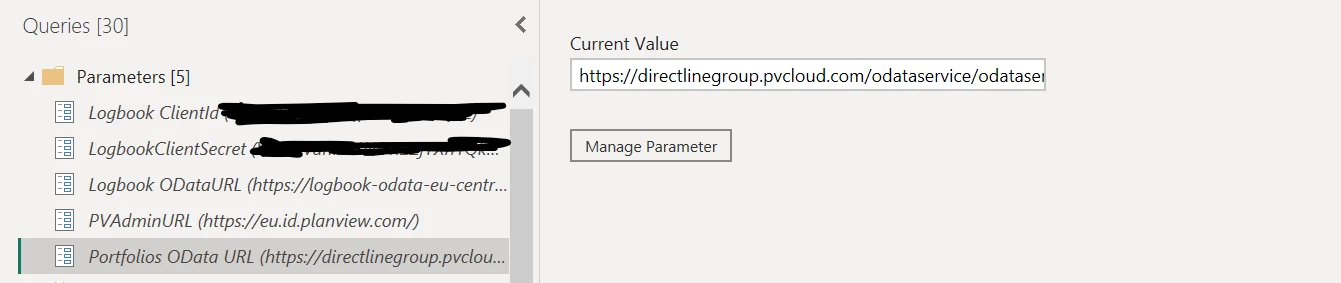
I’d start with the parameters in PowerQuery and confirming that all endpoints are correct:


Once that is validated, I would then check the data source settings, ours are set up as follows:


Hope that helps 😊

Best, 
Michal

2 replies

mserafinowski
Gold Product Expert
Forum|alt.badge.img+3
  • Gold Product Expert
  • Answer
  • April 27, 2026

HI ​@SVarney  as you’re pulling data from two different data sources (Portfolios and Logbook) you’ll need to authenticate twice:

  1. Basic (using the token from Portfolios) for the Portfolios OData
  2. anonymous for Logbook

Are you seeing this error in PowerBI Desktop or in the PowerBI Service? Also, could you double check that you’re using the correct data sources? You mentioned this report was copied from the sandbox, so it’s worth making sure all endpoints have been updated correctly. Have you also tried generating a new client ID and client secret?

I’d start with the parameters in PowerQuery and confirming that all endpoints are correct:


Once that is validated, I would then check the data source settings, ours are set up as follows:


Hope that helps 😊

Best, 
Michal


Forum|alt.badge.img+3
  • Author
  • Silver Innovator
  • May 4, 2026

Michal,

Thank you!  The piece I was missing was the Data Source Settings for the Logbook OData URL.  I also had accidentally created the OAuth2 Credential for Logbook Integration - Production instead of Logbook Reporting - Production (I created the sandbox credential correctly).   Once I made these two corrections, the production report is working for me.  


Thank you again,

Sonia