

Can you share the draft as to what and how the Timesheet Approval or rejection email look like and sent to RM to approve or reject or Users to fill in or their timesheet got rejected

Solved
Timesheet Notification Email
Best answer by pamela.sargent
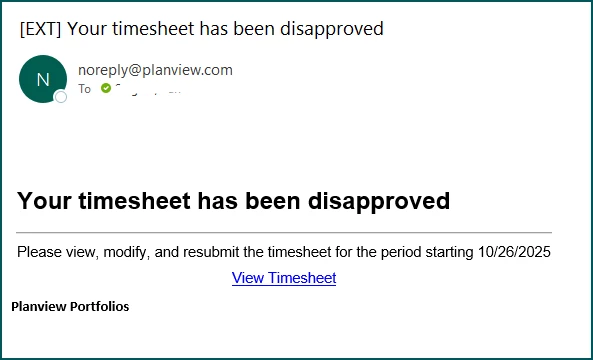
The following is what is received by an individual resource letting them know that their timesheet has been disapproved.
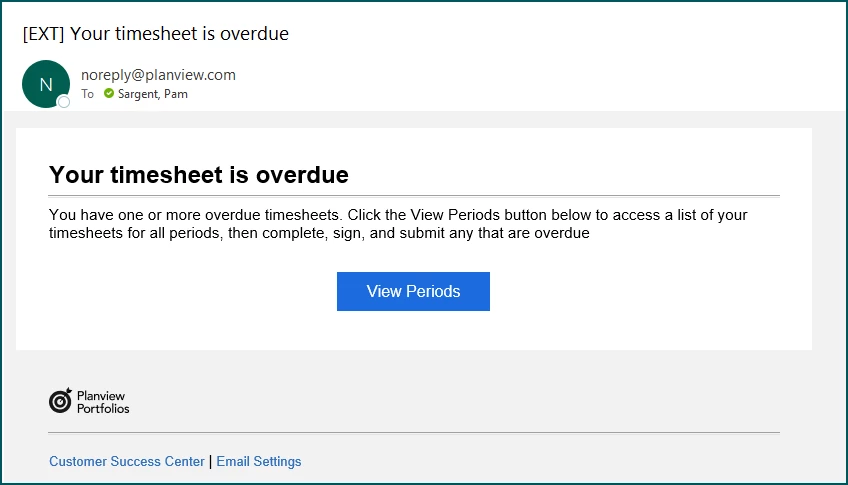
The following is what a resource will receive informing them that their timesheet is overdue.
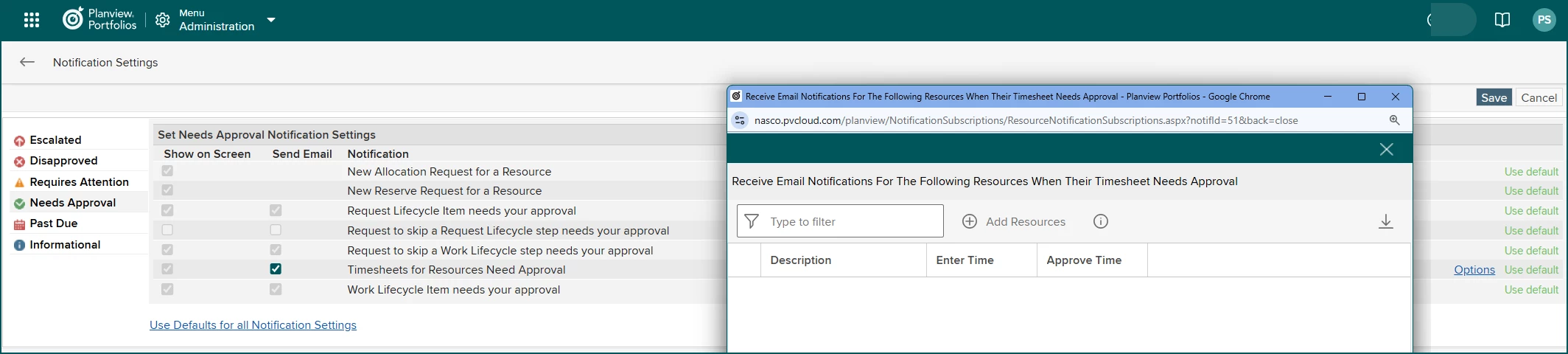
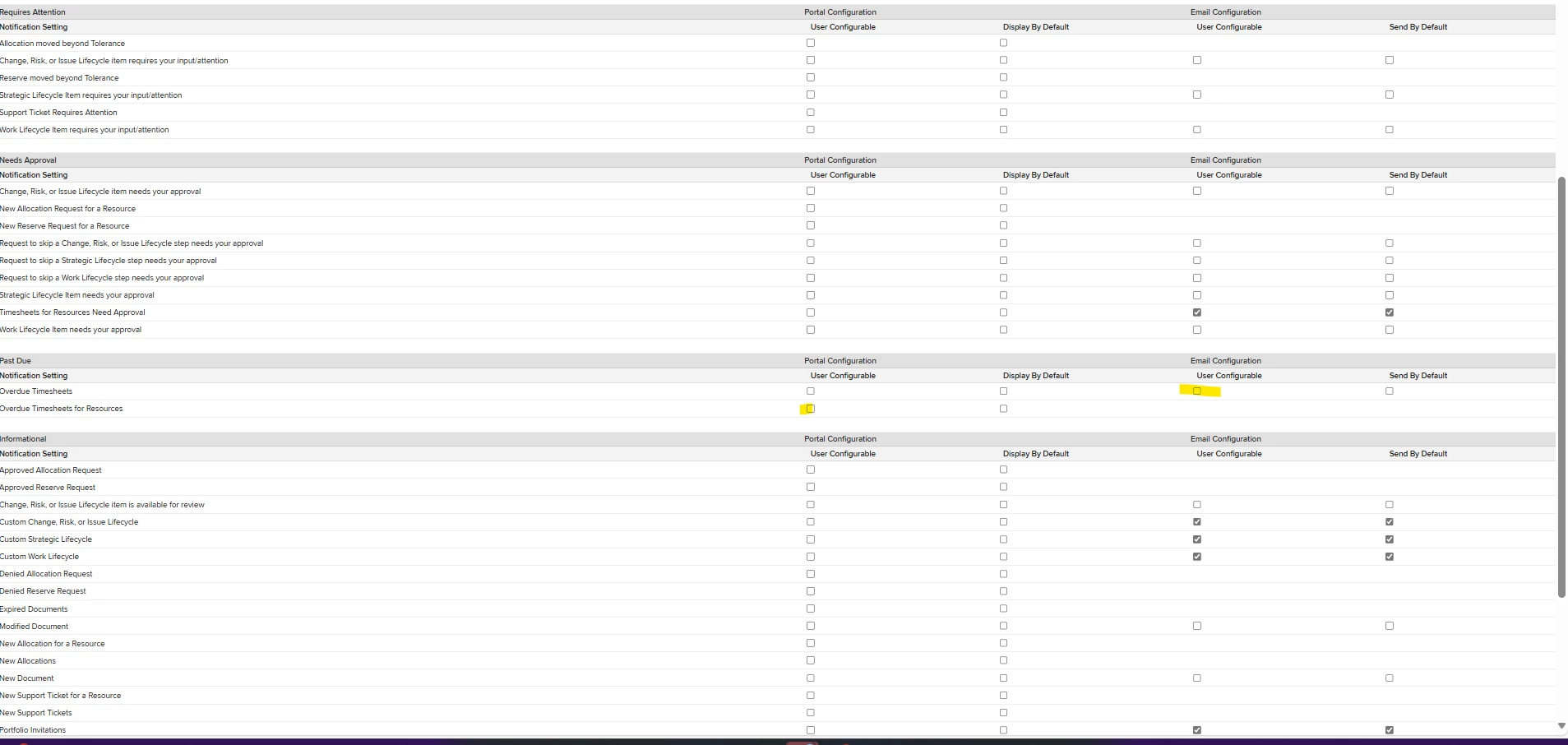
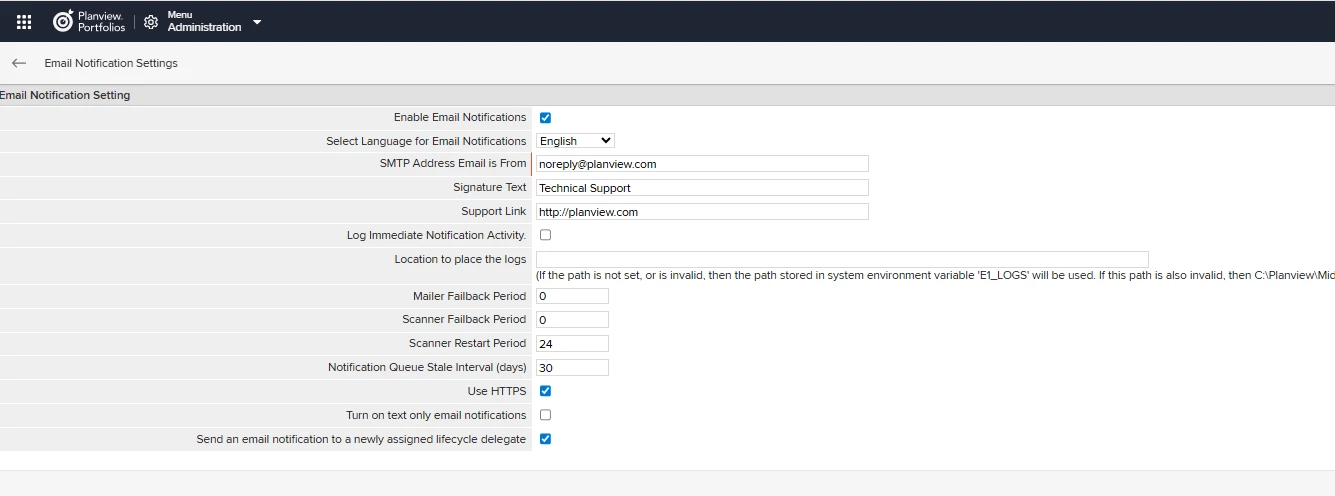
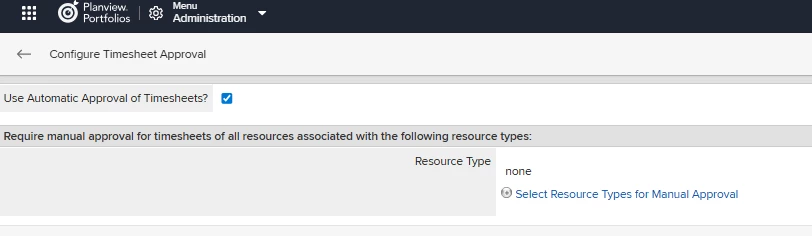
We do not utilize the emails alerting RMs to timesheets needing approval as our experience (although a bit dated) is because this is a tedious process. It’s not about who they have permissions to, and their user name isn’t technically tied to a branch of the OBS (just a label showing their name that admins type in). Instead, they would need to go through email settings and identify the individuals that they want to be notified about. This means they would need to remember to update this as org changes occur. This seemed too tedious so we never trained them on it.
Hope this helps.
Best regards,
Pam Sargent
NASCO
This topic has been closed for replies.



Planview Customer Community
Already have an account? Login
Planview Customer Community
No account yet? Create an account
Login with SSO
Login with Planview Adminor
Enter your E-mail address. We'll send you an e-mail with instructions to reset your password.
All Data Subject Access Requests (DSARs), and requests of “Do Not Sell My Personal Information” according to the CCPA, must be submitted through the Planview DSAR portal located here
Planview has appointed a Data Privacy Officer (DPO) to be responsible for overseeing our Privacy Management Program and related privacy compliance measures. DPO can be contacted at privacy@planview.com
Planview has appointed a Data Privacy Officer (DPO) to be responsible for overseeing our Privacy Management Program and related privacy compliance measures. DPO can be contacted at privacy@planview.com