

Question

How to remove incorrect activities associated with Project Place boards?

  • October 15, 2025
  • 1 reply
  • 102 views

rzb1qs
Silver Innovator
Forum|alt.badge.img+1

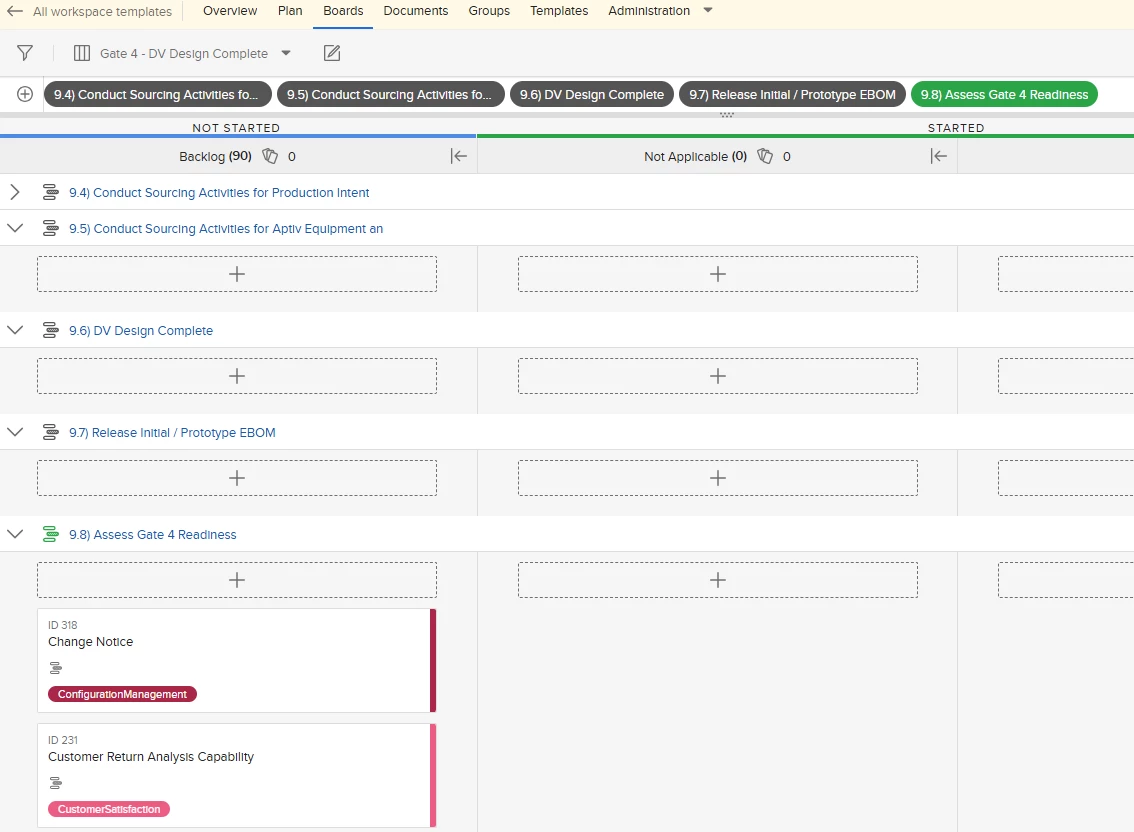
In a Project Place Template, updates were made and I need to remove activities that were once associated with the board.  It is very clear how to add the plan activities, but I was not able to find a reference to remove a plan activity.  I want to remove the “gray” activities.  Any direction is very much appreciated.  Joe.
 

This topic has been closed for replies.

1 reply

Hi there,

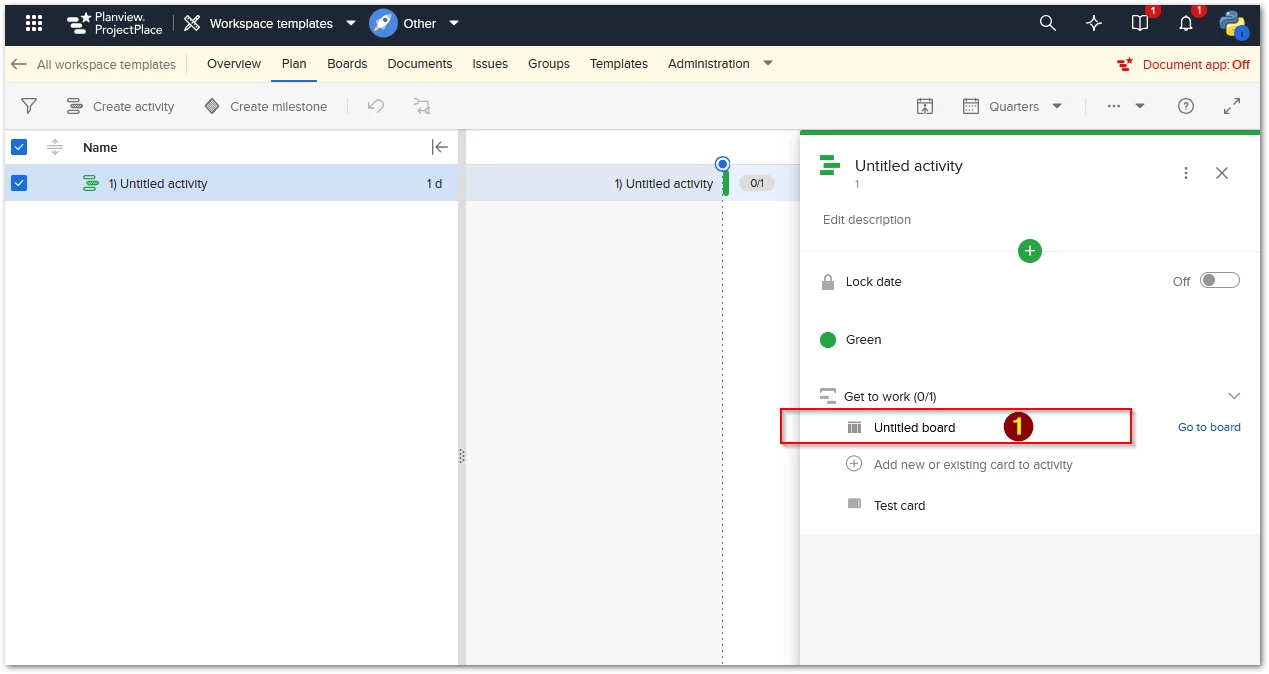
If you’d like to remove a plan activity that’s connected to a board, you’ll need to do this from the plan activity itself, not from the board view.

In the example below, you would click on the name of the connected board — in this case, “Untitled board”:


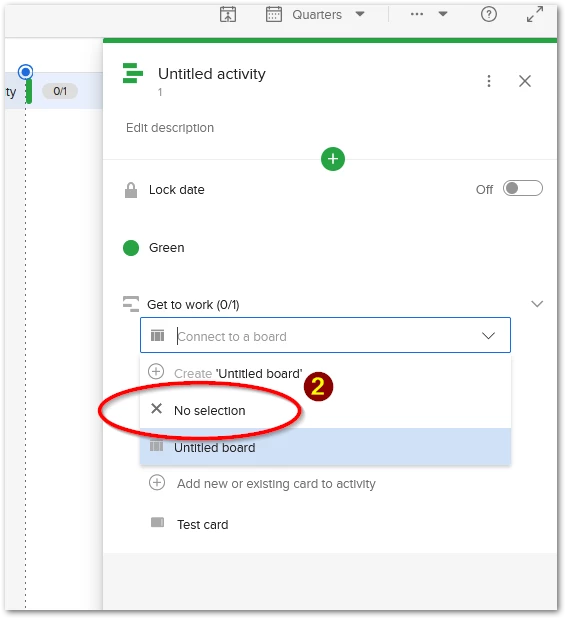
From the drop-down menu that appears, select “No selection”. This action will disconnect the plan activity from the board:


Please note: the cards will still be visible within the plan activity, but they will no longer appear on the board they were previously connected to.

Hope this helps! Let me know if you have any questions.

-----

Best regards

Robert Henriksen
Technical Support Engineer II, 
AgilePlace/ProjectPlace Support Operations

Planview International AB
https://success.planview.com/Planview_Communities_and_Programs/Customer_Care