



The Future of Project Execution: Humans and AI Working Side by Side
Share tips and best practices, show what you've created and inspire others.
Recently active
Planview Community,In this post and corresponding video, we will delve into various Resource Management tips and tricks that will empower you to leverage Planview's capabilities to their fullest potential. Let's dive in!Get the Most out of RMA by Using the Group By Pivot: By Pivot feature in RMA, resource management assignments can be efficiently managed by organizing data based on various criteria such as work name, resource name, or entity type. The sliding option allows for easy pivoting between different groups, while also enabling filtering by date range for a consolidated view Identifying Over- and Under-utilized Resources: By leveraging the Group By Pivot feature with criteria such as resource name and work name, users can analyze resource commitments versus capacity on a date-wise basis. This enables the identification of over-utilized resources facing excessive demand or under-utilized resources with capacity remaining unfulfilled What projects are my team working on: By pivot
Imagine coordinating thousands of projects across nearly 2 million square meters of warehouse space and 155,000 employees worldwide. That's the challenge faced by the Supply Chain group of a leading delivery and logistics giant. They needed to overcome their outdated, spreadsheet-based project management system and adopt a more agile approach.The Problem:Lack of visibility into day-to-day project activities hampered global collaboration. Spreadsheet management grew cumbersome and error-prone with numerous projects and team members. Traditional methods couldn't keep pace with the dynamic nature of their work.The Solution:Enter Planview Portfolios and Planview ProjectPlace, a combined force for project portfolio and work management. This powerful duo delivered:Real-time visibility and mobile management: Teams gained instant access to project plans, progress updates, and communication via a user-friendly interface, even on the go. Effortless collaboration: Built-in chat features streamlin
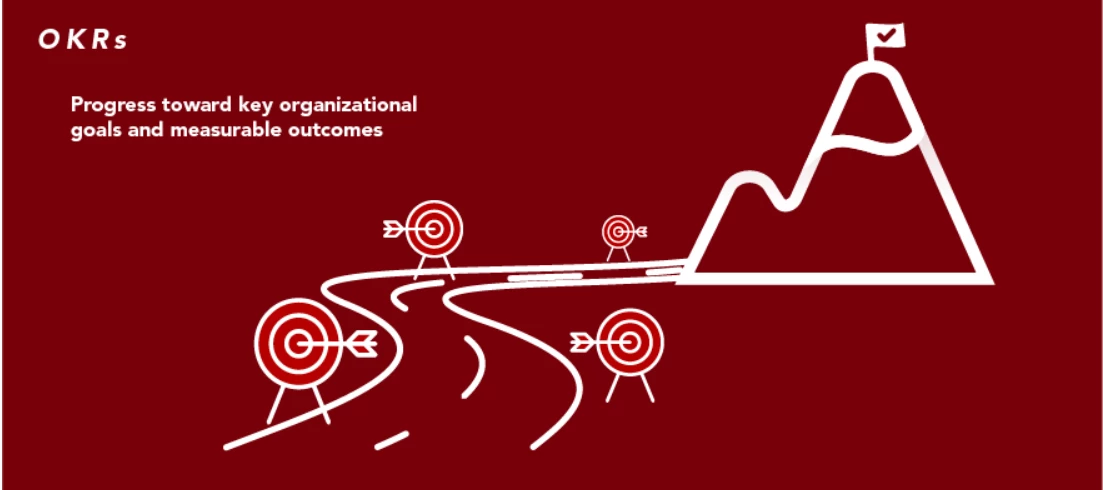
Hey Everyone, Feeling overwhelmed by setting and tracking goals across your organization? We've all been there! But what if there was a way to seamlessly align your organization's OKRs with project and portfolio plans, track progress in real time, and empower your teams to achieve their full potential? Enter the powerful combination of OKRs (Objectives and Key Results) and Planview Portfolios!OKRs provide a clear roadmap, guiding your team towards ambitious, achievable goals. They can be implemented independently or integrated with various platforms, including Planview Portfolios. Planview Portfolios offer robust project and portfolio management functionalities. When used alongside OKRs, it provides a centralized platform to track progress, manage resources, and ensure everyone's aligned with the overall goals.Benefits:Clear Alignment: Everyone, from individual contributors to the entire organization, understands how their work contributes to the bigger picture. Precise Tracking: Monit
Share the link below and earn community points.
Already have an account? Login
No account yet? Create an account
Enter your E-mail address. We'll send you an e-mail with instructions to reset your password.
Sorry, we're still checking this file's contents to make sure it's safe to download. Please try again in a few minutes.
Sorry, our virus scanner detected that this file isn't safe to download.