











Recently active
We’ve started using the Targeted Subscriptions to sending missing timesheet reports on Friday’s to our managers. So far this is working well, but we can’t set the parameters to change the week. We’d like to send out a report first thing Monday morning to managers on who has not submitted timesheets for prior weeks. If we run the same job stream on a Monday it includes timesheets for the current week,We want to use the Targeted Subscriptions as we’ve setup a query that is based on Job Role. This makes it so we don’t have to manually maintain the To and BCC fields that are on a started subscription. The idea is this is automated and we don’t have to fiddle with a mailing list and can re use the same job stream.Is there a way to create a resource portfolio that ONLY contains resources with an Overdue or Disapproved timesheets? Or has someone developed a solution that does something similar?
We just started using the Skills alternate structure with in Portfolios to allow PMs to fill resource needs easier. We are about ready to roll it out but wanted to turn the Quality Ranks off or hide the drop down. Is there any way to do this? I don’t see any option on a configured screen to hide the drop down nor an option to turn it off from System Options. Is the only way to get rid of this to delete all the ranks?
Imagine coordinating thousands of projects across nearly 2 million square meters of warehouse space and 155,000 employees worldwide. That's the challenge faced by the Supply Chain group of a leading delivery and logistics giant. They needed to overcome their outdated, spreadsheet-based project management system and adopt a more agile approach.The Problem:Lack of visibility into day-to-day project activities hampered global collaboration. Spreadsheet management grew cumbersome and error-prone with numerous projects and team members. Traditional methods couldn't keep pace with the dynamic nature of their work.The Solution:Enter Planview Portfolios and Planview ProjectPlace, a combined force for project portfolio and work management. This powerful duo delivered:Real-time visibility and mobile management: Teams gained instant access to project plans, progress updates, and communication via a user-friendly interface, even on the go. Effortless collaboration: Built-in chat features streamlin
We really need a spell check when the PM is entering data into fields of their project status report. I know you can see spelling errors in a column set (or by exporting to Excel and checking there). But {Ms won’t necessarily take that extra step. wouldn’t it be better if spelling errors were reported when the person did them?This would be good for all freeform text fields.
Hi Everyone,We're eager to hear your insights and experiences regarding the use of OKRs (Objectives and Key Results) in your industry. Your feedback is invaluable in helping us understand the challenges you face. Please take a moment to share your thoughts on the following: Your input will guide us in developing content tailored to your needs. Thank you for your participation! Feel free to comment below with any additional insights or questions.#OKRs #Planview
We need to track changes to Scheduled Finish dates. I’d like it to be a field tracked in the History. Currently I have to frequently extract the data to an Excel spreadsheet and analyze it there. It would be helpful if I could export ALL history data to Excel.
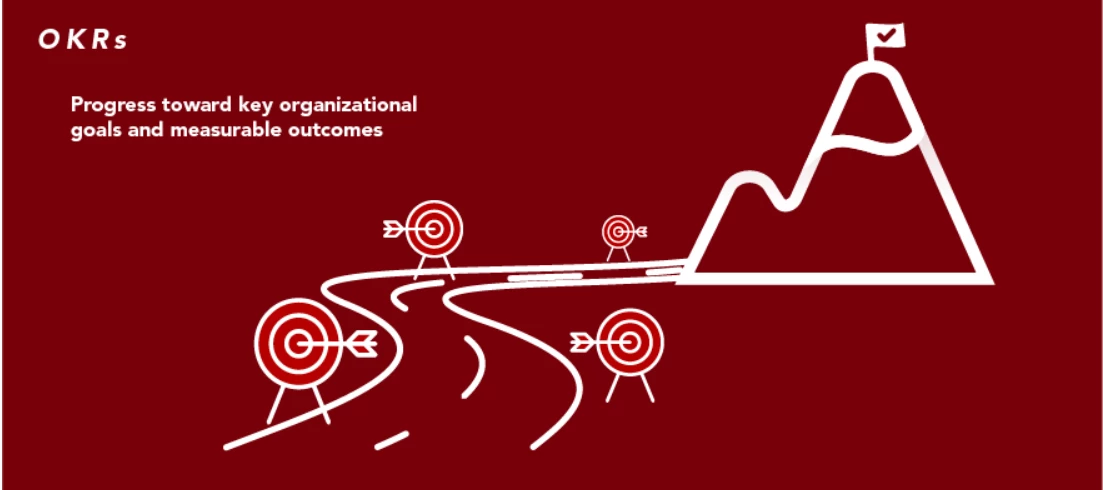
Hey Everyone, Feeling overwhelmed by setting and tracking goals across your organization? We've all been there! But what if there was a way to seamlessly align your organization's OKRs with project and portfolio plans, track progress in real time, and empower your teams to achieve their full potential? Enter the powerful combination of OKRs (Objectives and Key Results) and Planview Portfolios!OKRs provide a clear roadmap, guiding your team towards ambitious, achievable goals. They can be implemented independently or integrated with various platforms, including Planview Portfolios. Planview Portfolios offer robust project and portfolio management functionalities. When used alongside OKRs, it provides a centralized platform to track progress, manage resources, and ensure everyone's aligned with the overall goals.Benefits:Clear Alignment: Everyone, from individual contributors to the entire organization, understands how their work contributes to the bigger picture. Precise Tracking: Monit
Share the link below and earn community points.
Already have an account? Login
No account yet? Create an account
Enter your E-mail address. We'll send you an e-mail with instructions to reset your password.